
Security: Getting to Know Windows LAPS for Active Directory- First Look

In October 2022, I published a blog post titled The 10 most important details about the upcoming Windows LAPS solution, which revealed that Microsoft was developing a new LAPS solution called Windows LAPS. This solution would address the long-awaited support for cloud-only devices. As of April 11, 2023, Windows LAPS for Windows Server Active Directory is now publicly available. Previously, Windows LAPS was only accessible through private preview. Unfortunately, Windows LAPS for Azure Active Directory remains in private preview and is not open to new customers. However, the Azure Active Directory LAPS scenario is anticipated to enter public preview in Q2 2023. In this blog post, I will be sharing my initial testing impressions of Windows LAPS with the Windows Server Active Directory (on-premises) scenario.

  1. Supported platforms
  2. The advantages of Windows LAPS over Legacy Microsoft LAPS
    1. # Seamless integration
    2. # Password encryption
    3. # More New capabilities
  3. Windows LAPS for Windows Server Active Directory – Configuration
    1. Windows LAPS Requirements
    2. Prepare Windows LAPS ADMX templates
    3. Update the Windows Server Active Directory schema
    4. Grant the managed device permission to update its password
    5. Delegate Windows LAPS permission
    6. Configure policy settings for Windows LAPS
  4. Windows LAPS for Windows Server Active Directory – Admin Experience
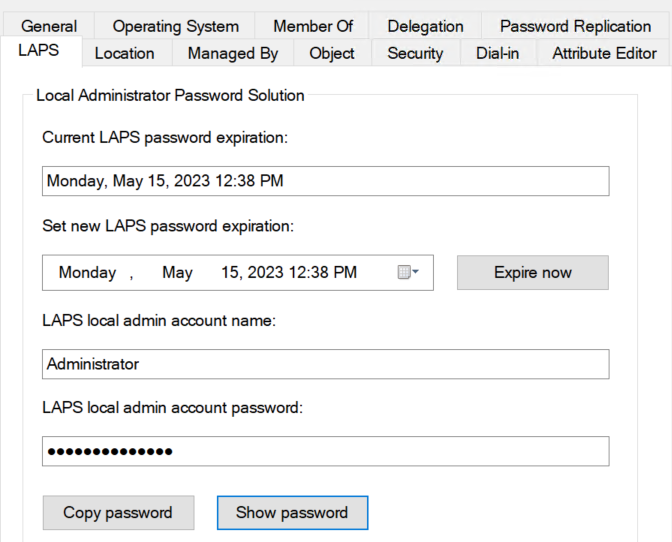
    1. Read Windows LAPS Password
    2. Windows LAPS password rotation
    3. Get Windows LAPS Password History
    4. Password backup for DSRM accounts
  5. Conclusion
Continue reading

Security: The 10 most essential details about the new Windows LAPS solution

The Local Administrator Password Solution (LAPS) from Microsoft has been around since 2015 and I have always liked using it because it was quite easy to implement and manage. Unfortunately, Azure AD (Cloud Only) support was missing and LAPS could only be used with an on-premises Active Directory. Therefore, in a cloud only environment, you had to use alternatives such as the community solution CloudLAPS. Fortunately, Microsoft is working on a new LAPS solution with the name Windows LAPS that finally offers the long-awaited support for cloud-only devices.

This blog article presents the 10 most essential details about the new Windows LAPS solution.

  1. #1 Operating System Integration
  2. #2 Supported scenarios
  3. #3 Supported platforms
  4. #4 Architecture
  5. #5 New Features
  6. #6 Management & Configuration
  7. #7 Legacy Support
  8. #9 Release Date
  9. #10 Documentation, session and demos
Continue reading